
Every digital journey starts with data entering the system. This first step is key in the computing cycle. It turns raw information into digital form.
Many data entry devices connect our world to the digital one. From old keyboards to advanced scanners, each is important for capturing information.
Some computer input methods send data straight to the system. Others need extra steps before the computer can use it well.
Systems like supermarket checkouts and bank terminals show how this works in different ways. They all aim to turn real-world info into something computers can understand.
Good systems often cut down on extra steps by automating source data. This makes the whole process smoother, from start to finish.
Understanding Input Devices and Their Roles
Input devices connect users to computers, starting the input processing cycle. They turn data into digital form right away. This helps in making data work better in many fields.
Common Input Devices in Computing
Computers use basic tools for input. These tools help us use computers every day, at work and at home.
Keyboards and Mice: The Basics of User Input
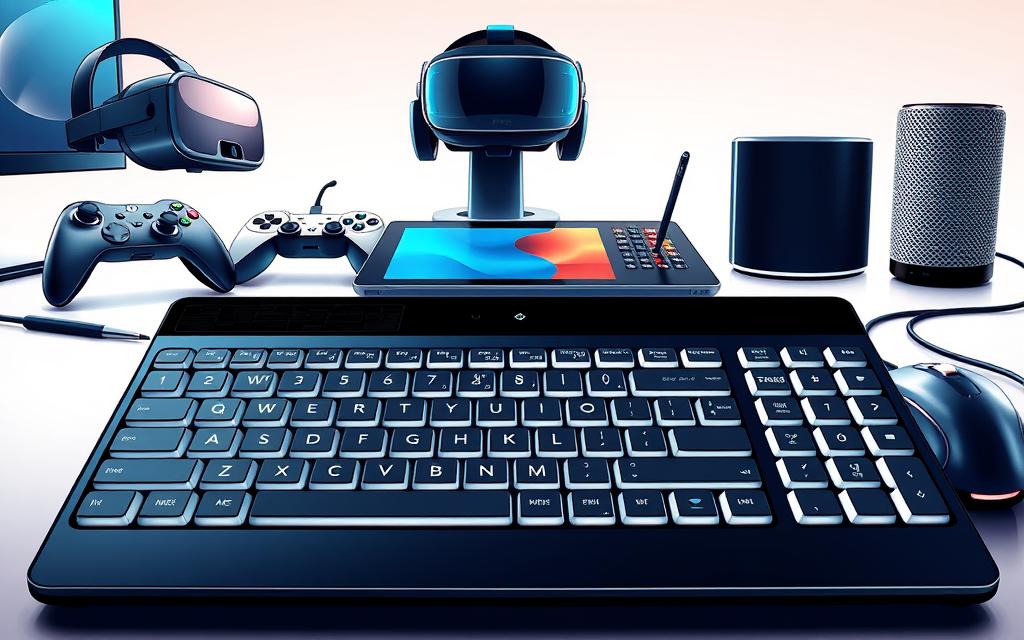
Keyboards are the most common way to input data. They come in many types, like QWERTY and special keyboards. Mice let us move the cursor and click buttons. Trackballs are good for small spaces.
Scanners and Cameras: Capturing Visual Data
Scanners turn paper and pictures into digital files. They use light to scan. This helps in many areas, like reading barcodes and managing libraries.
Specialised Input Devices for Specific Needs
There are special tools for certain jobs and needs. These tools make the input processing cycle better for specific tasks.
Touchscreens and Digital Pens
Touch screens change how we interact with computers. They let us tap and gesture on the screen. They’re used in shops and government offices to make things easier.
Microphones and Audio Input Devices
Microphones let us use our voice to input data. They’re great for doctors and people who can’t use their hands. They help with voice commands.
| Device Category | Primary Function | Common Applications | Automation Level |
|---|---|---|---|
| Keyboards | Text and command entry | Office environments, point-of-sale systems | Medium |
| Optical Scanners | Document digitisation | Libraries, retail checkout, archiving | High |
| Touch Interfaces | Direct screen interaction | Public kiosks, mobile devices, ATMs | High |
| Audio Input | Voice data capture | Medical dictation, accessibility tools | Very High |
How Does Data Get Into a Computer System: The Initial Entry Phase
Computers turn raw information into digital data through different ways. This first step changes physical actions or signals into code the system can understand. Direct human-computer interaction happens when we type, speak, or touch screens.
Automated systems cut down on mistakes made by humans. Tools like barcode scanners and optical character recognition turn physical patterns into digital data. FedEx uses barcodes for tracking, and retail systems use various methods for quick sales.
Medical devices capture patient data with special scanners. These devices change X-rays, MRI signals, or ultrasound waves into digital images. The computer then processes this data based on its instructions.
Source data automation captures information right where it starts. This method reduces steps in processing, making it more efficient and reliable. Getting data right from the start is key for the whole computer cycle.
FAQ
What is the fundamental role of input devices in computing?
Input devices turn real-world information into digital data for computers. They start the input-processing-output cycle. They capture data like keystrokes, scans, or voice commands and change it into a format computers can use.
How do keyboards and pointing devices function as common input tools?
Keyboards let us type directly into computers. They come in different layouts, like QWERTY and those for fast-food. Pointing devices, like mice and trackballs, help us move around and choose things on screens.
What are some examples of specialised input devices and their applications?
Specialised devices include touch screens and audio input systems. Touch screens use light to select things in places like retail kiosks. Audio systems turn speech into data through microphones and software. They’re used in healthcare, inventory, and for people with disabilities.
How does source data automation improve efficiency in data input?
Source data automation grabs information right where it starts. This cuts down on manual steps and mistakes. For example, barcode scanners in shops and magnetic ink in banks make data entry faster and more reliable.
What methods are used to convert raw data into digital information?
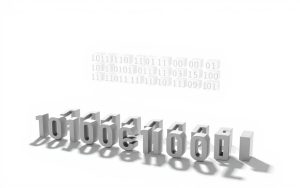
A> To turn raw data into digital info, we use optical character recognition and image scanning. Microphones capture audio. These methods change physical inputs into binary data that computers can understand and work with.
Can you provide real-world examples of input systems in action?
Input systems are used in many ways. For example, Federal Express tracks packages with barcodes. Medical imaging systems capture important data. Retail terminals use keyboards, scanners, and touch screens to handle transactions quickly.

 By
By